
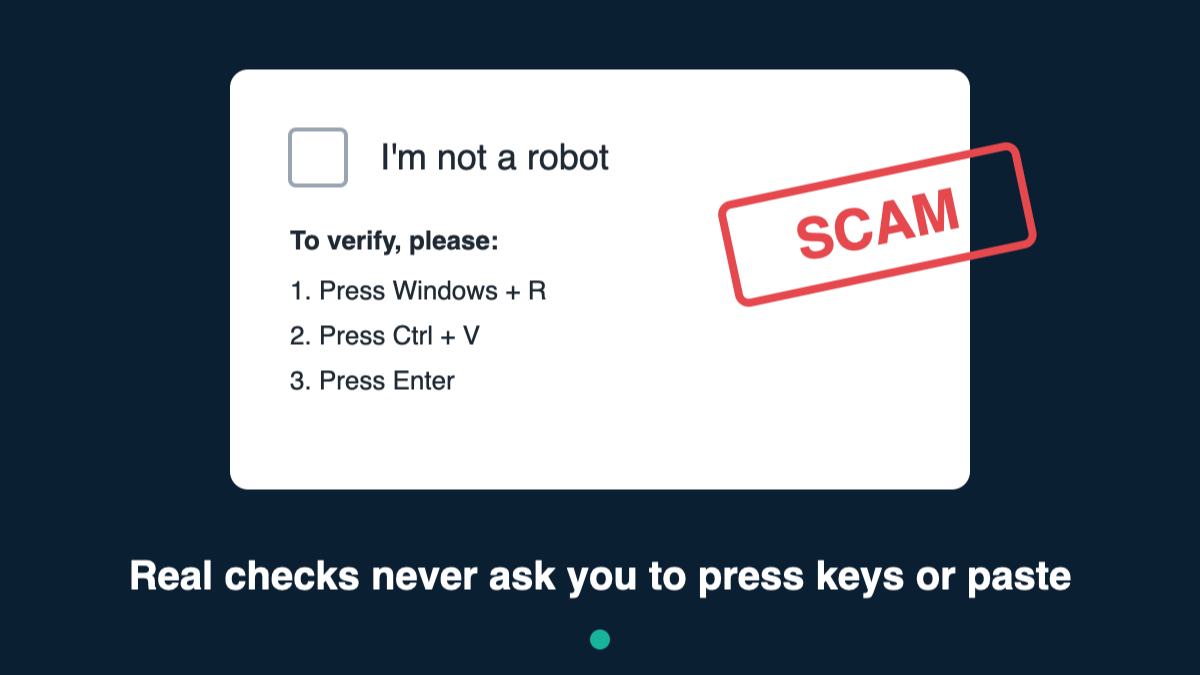
You’ve seen those “I’m not a robot” boxes a hundred times. You tick the box, maybe pick out some traffic lights, and carry on. Criminals know we do this without thinking, and they’re now using fake versions to trick people into installing harmful software themselves.
What happens
You visit a website, often from a search result, a dodgy download link or an email. A box pops up that looks like a normal “prove you’re human” check. But instead of ticking a box, it asks you to do something unusual, such as:
- Press the Windows key + R
- Press Ctrl + V
- Press Enter
It looks harmless, just three key presses. But here’s what’s really going on:
- When the page loaded, it secretly copied a hidden command to your computer’s clipboard (the place things go when you “copy”).
- Windows key + R opens a box that runs commands on your computer.
- Ctrl + V pastes the criminal’s hidden command into that box.
- Enter runs it.
In three key presses, you’ve let the criminals in. On a Mac, the trick is similar but asks you to paste something into an app called Terminal.
What it installs
Usually it’s an “information stealer”: software that quietly collects:
- passwords saved in your web browser
- logins to email, social media and online banking
- card details and cryptocurrency wallets
It then sends everything to the criminals, often within minutes. There’s no warning, and your computer may seem completely normal afterwards.
The one rule to remember
A real “I’m not a robot” check will never ask you to press keys, open anything or paste anything. If it does, it’s a scam. Close the page.
Real checks only ever ask you to tick a box, click some pictures or wait a moment.
How to stay safe
- Never follow instructions from a website to press Windows + R, open “Run”, “Terminal” or “PowerShell”, or paste something. No legitimate website needs you to do this.
- Be careful with search results and adverts, especially for free downloads, films or software. Criminals pay to appear at the top.
- Keep your computer and antivirus up to date. Windows’ built-in Microsoft Defender is good, as long as it’s switched on.
- Turn on two-step verification (a code sent to your phone) for email and banking. Even if criminals steal your password, they’ll struggle to get in.
Already done it? Don’t panic. Act quickly.
- Disconnect from the internet (turn off Wi-Fi or unplug the cable).
- Run a full antivirus scan.
- Using a different device, such as your phone, change your passwords, starting with email and banking.
- Call your bank if you have banking or card details saved on that computer.
- Report it. In the UK, report to Action Fraud at actionfraud.police.uk or call 0300 123 2040. In Scotland, call Police Scotland on 101.
If you’re not sure, ask someone you trust before doing anything a website tells you to. Taking 30 seconds to check could save your accounts.
Leave a Reply